Import your audio
Start with a local file or microphone recording you are allowed to use.
Chord finder from audio
When a tab is missing, wrong, or in the wrong key, GigaChords helps you start from the song. Import audio, get a chord timeline, and practice with the chart as the music plays.
How it works
Start with a local file or microphone recording you are allowed to use.
Play the song while the current chord and upcoming changes stay visible.
Loop difficult sections and fix chord cells or timing where your listening catches more detail.
Why not just search tabs?
A public tab can be in the wrong key, based on a different live version, or simplified for beginners. GigaChords gives you a starting map from the recording you are actually practicing.
Read about accuracy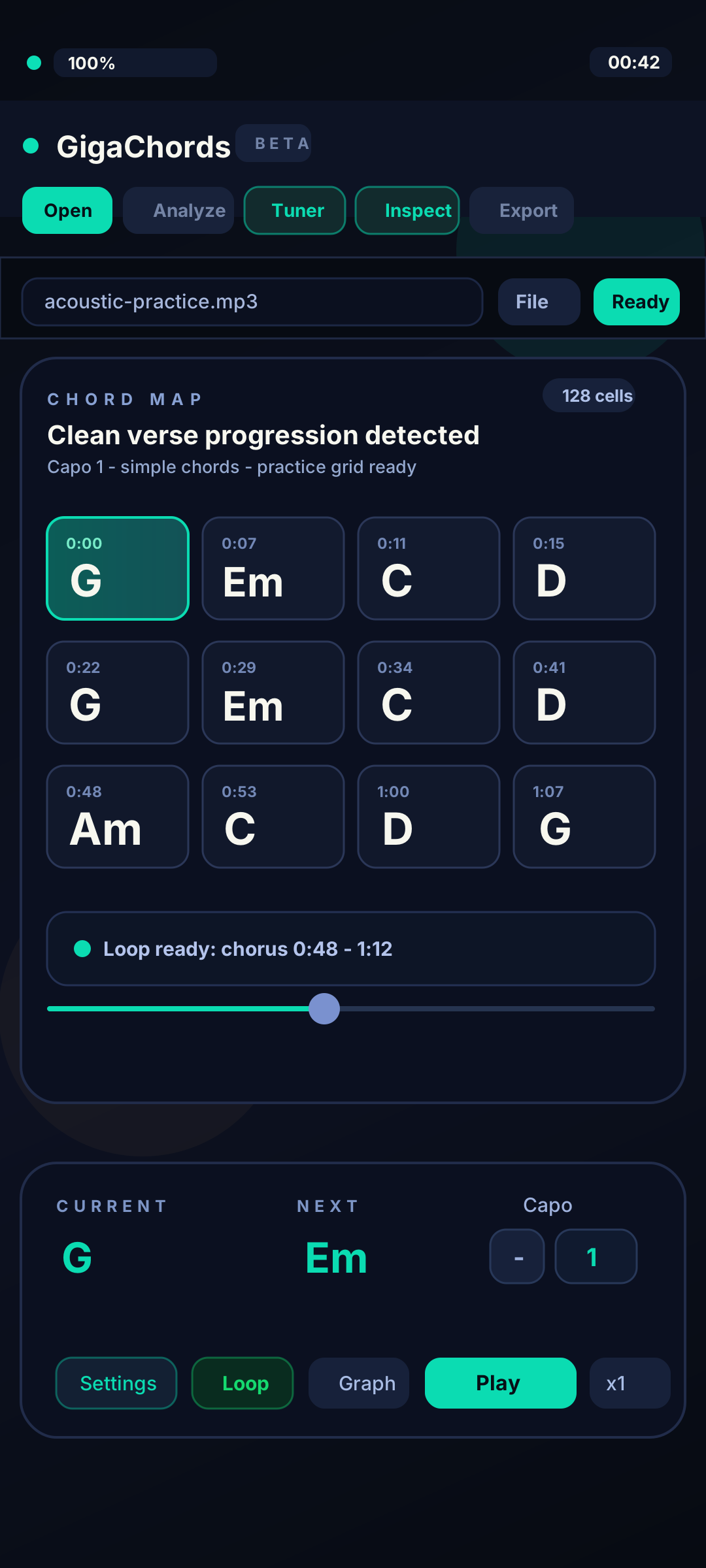
GigaChords is available from the App Store, Microsoft Store, and Google Play. Each store shows current availability and purchase terms.
Grand Opening
Now live on Microsoft Store + App Store
GigaChords is now available on iPhone, iPad, Windows, and Android. Choose the App Store or Microsoft Store for the two newest releases, or get Android from Google Play.
New: Microsoft Store + App Store